


Private meeting transcription for Mac
Record the conversation. Transcribe it on your Mac.
TapScribe records and transcribes coaching sessions and client meetings on your Mac. Transcription runs locally, not in the cloud.
US$49 launch price. One-time purchase. With a 14-day free trial and no card required.
30-day money-back guarantee from purchase.
For Apple Silicon Macs. English transcription.
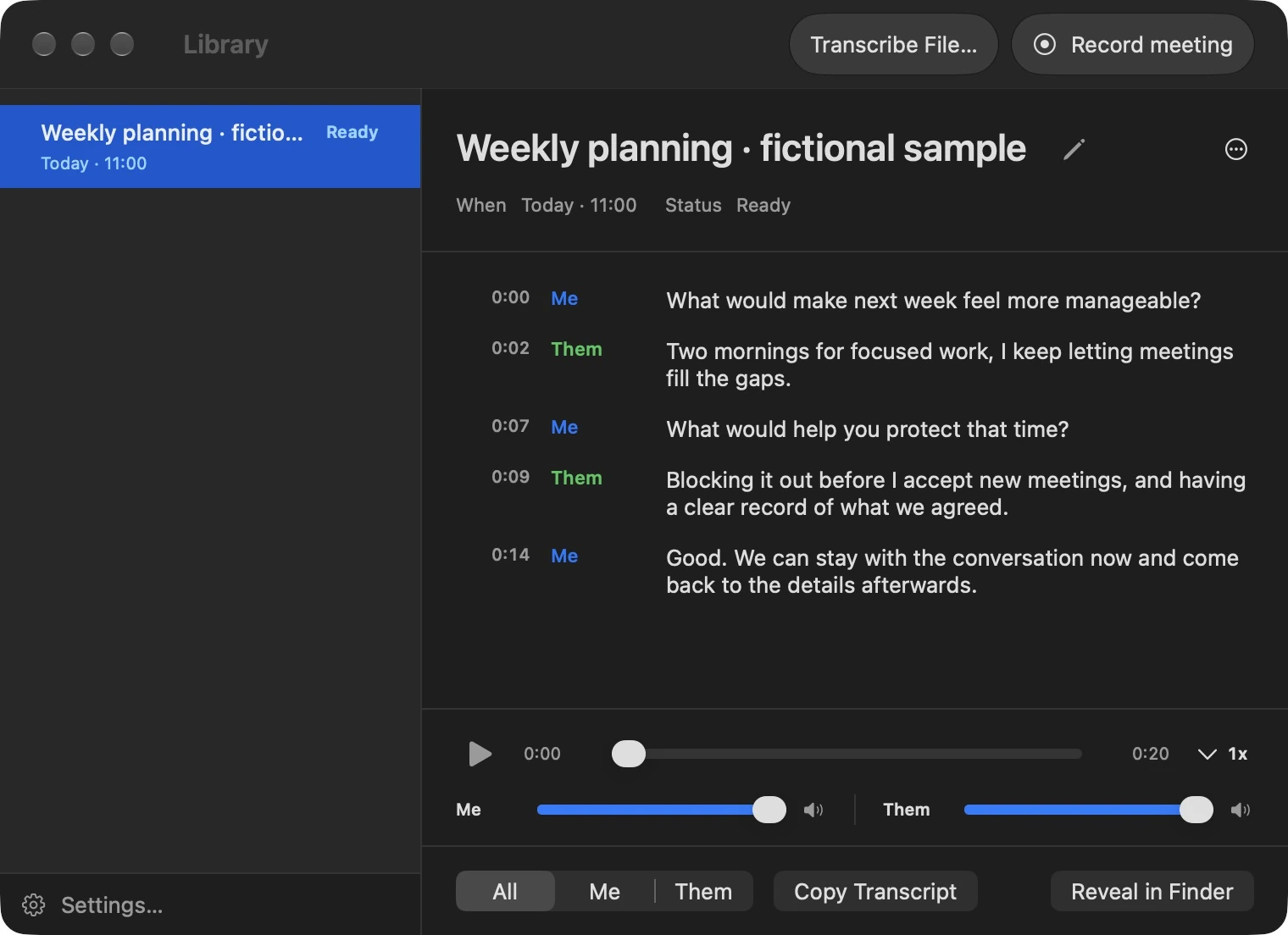
Listen now. Return to the details later.
A useful conversation can move faster than your notes. Keep a recording and transcript together so you can revisit an important phrase, check your understanding and carry the useful parts into your work.
Record the meeting
Capture your microphone and the audio playing on your Mac.
Review the transcript
Read it alongside the recording and listen back when the wording matters.
Use what you need
Copy a passage or export the transcript into your own notes.
Transcription happens on your Mac.
TapScribe processes meeting audio locally to create your transcript. You control the recording files and what you choose to share.
Keep transcripts with your notes.
Finish a conversation with the audio and transcript together in your Library. Send a separate text copy to your client folder or Obsidian vault, ready to review alongside your own notes.
- Export automatically.Enable automatic Markdown export to save a transcript copy in a folder you choose, while keeping the audio in your recording library.
- Choose where recordings live.Use your preferred recording folder and open the files in Finder when you need them.
This example was transcribed locally from prepared fictional audio and exported by TapScribe. The preview shows the resulting text; the audio stays in the recording library.
Download the sample Markdown fileMarkdown transcript
Weekly planning
- 0:00 Me
- What would make next week feel more manageable?
- 0:02 Them
- Two mornings for focused work, I keep letting meetings fill the gaps.
- 0:07 Me
- What would help you protect that time?
- 0:09 Them
- Blocking it out before I accept new meetings, and having a clear record of what we agreed.
- 0:14 Me
- Good. We can stay with the conversation now and come back to the details afterwards.
A few useful answers.
Which updates are included in my purchase?
Version 1.0 and all 1.x updates are included. All updates released within 12 months of purchase are also included. Your version 1.0 and all 1.x updates remain included, even beyond 12 months. This applies to existing and new buyers from their original purchase date. Major upgrades released after your first 12 months may be sold separately.
What if TapScribe is not right for me?
Try the complete app free for 14 days with no card required. If you buy and it is not right for you, request a full refund within 30 days of purchase. The refund window starts on your purchase date and is separate from the trial.
Does a bot join my meeting?
TapScribe captures microphone and Mac audio on your computer. It does not need a bot to join the call. Let participants know you intend to record and obtain the permission your situation requires.
Which Macs and languages are supported?
TapScribe requires an Apple Silicon Mac running macOS 15 or later and supports English transcription. See the download page for release availability.
Can I check the transcript against the recording?
Yes. The recording and transcript are available together in the Library. Transcription can make mistakes, so check important wording against the audio.
Can I send a transcript into my notes?
You can copy text and export a Markdown transcript. With Workflow enabled, new eligible transcripts can be copied automatically to a folder you choose. Exported files are independent copies.
Does TapScribe write summaries or identify every speaker?
TapScribe gives you the recording and transcript to review. It does not generate summaries or action items. Me is your microphone; Them includes everyone speaking through your Mac. You can filter and copy either source, but it does not name each remote participant. Library search and team collaboration are not part of this release.
What happens after my trial ends?
After the trial ends, a licence is required for new recordings and file imports. Existing recordings remain accessible, playable and exportable. Buy from the app before or after the trial ends.
US$49 launch price. One-time purchase.
A dedicated Mac app for recording meetings, reviewing transcripts and keeping useful conversations within reach.
14-day free trial. No credit card required. No subscription.
If TapScribe isn’t right for you, request a full refund within 30 days of purchase.
- One person, two Macs
- 30-day money-back guarantee
- Version 1.0 and all 1.x updates
Your recordings and transcripts are ordinary files on your Mac. If you ever stop using TapScribe, you keep everything.
All updates released within 12 months of purchase are also included. Your version 1.0 and all 1.x updates remain included, even beyond 12 months.
Latest release: 16 October 2026
Major upgrades released after your first 12 months may be sold separately. Read the licence details.
Built by someone who relies on meeting notes too.
I built TapScribe because I wanted a straightforward way to record my consulting meetings, review the transcript and keep control of the files. It is being shaped through real use and feedback from its testers.
TapScribe is made by James Godwin in South Africa.
For help, email support@tapscribe.app.